
Peril
A fun, private AI assistant with personality that lives on your phone. She answers from a library she carries inside the app, remembers what you tell her, helps with the little things in your day, and keeps all of it on your phone — no account, no ads, no cloud. She is an AI, and she always says so.
Google Play$4.99, one time
What Peril does
Ask her a question, tell her about your week, or hand her a chore. Everything she does is done on your phone, and everything she keeps stays there.
Answers without the internet
Peril carries her own AI model and a library of everyday knowledge inside the app, so she can answer on an airplane or in a basement. Her answers come from that library and from what you told her, and when she does not know, she says so and offers a next step instead of guessing.
She remembers, and you stay in charge
Tell her about your sister’s birthday, your dog’s name, or what you finished today. She remembers, and brings it up when it helps. One screen shows everything she remembers: correct it, delete any of it, or erase it all. Say “forget that” and she does.
Notes, reminders, alarms, and timers
“Remind me to call the vet at 5.” Reminders are her own notifications, alarms and timers go to your Clock app, and nothing is set that you did not ask for.
Your calendar
She tells you what is coming up, answers questions about your schedule, adds an event when you tap Add to calendar, and asks before she removes anything.
Calls, texts, email, and directions
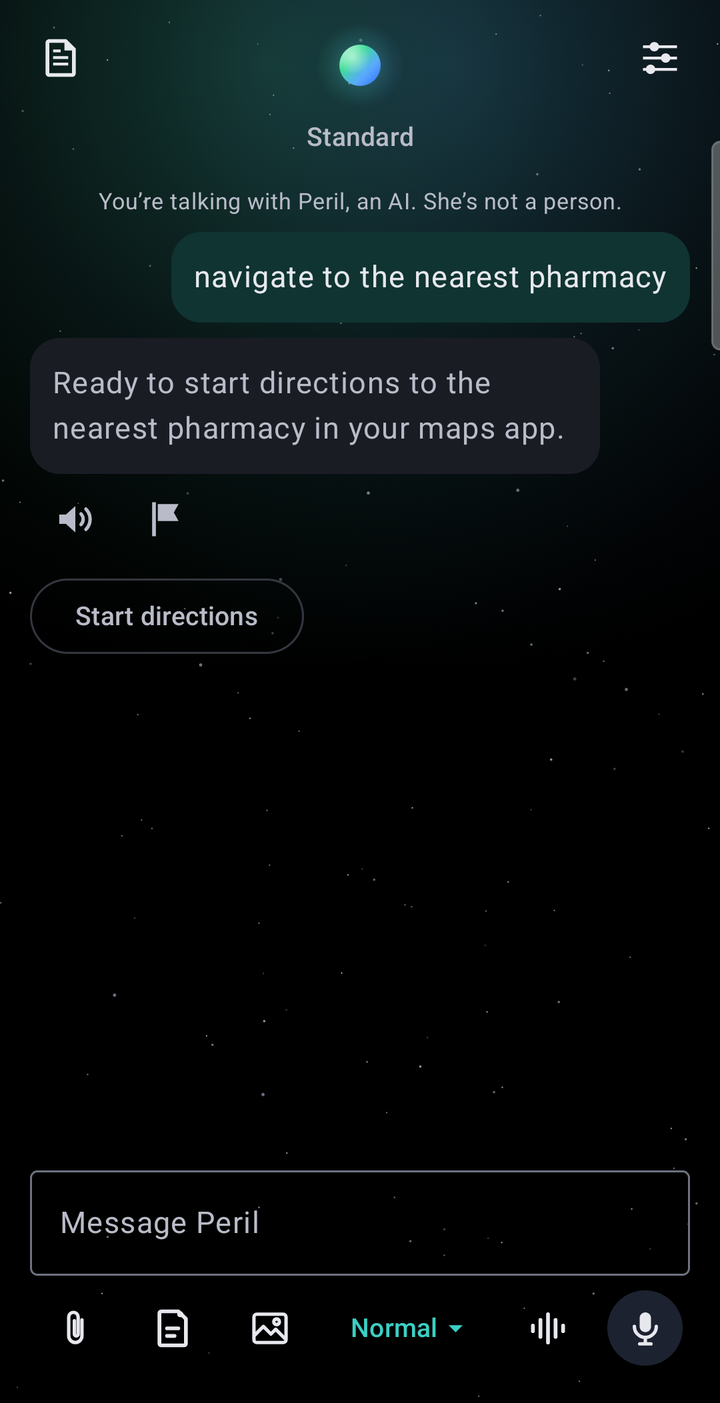
Ask her to text your sister or to take you to the pharmacy, and the message or the route opens in your own phone, app, and contacts, filled in. You confirm every send.
Music, through your own music app
“Play some Fleetwood Mac” is asked of the music app on your phone. When an app will not start playback for another app, Peril says so plainly and opens its search instead of pretending it worked.
Voice
Talk instead of typing, or hold a hands-free conversation. Your voice is turned into text by your phone’s own on-device speech recognition; she listens only when you start it, and never while she is speaking.
Documents you choose
Share a document with her and she summarizes it and answers questions about it, on the phone. What she read is not kept in her memory.
Wins, and goals you keep up
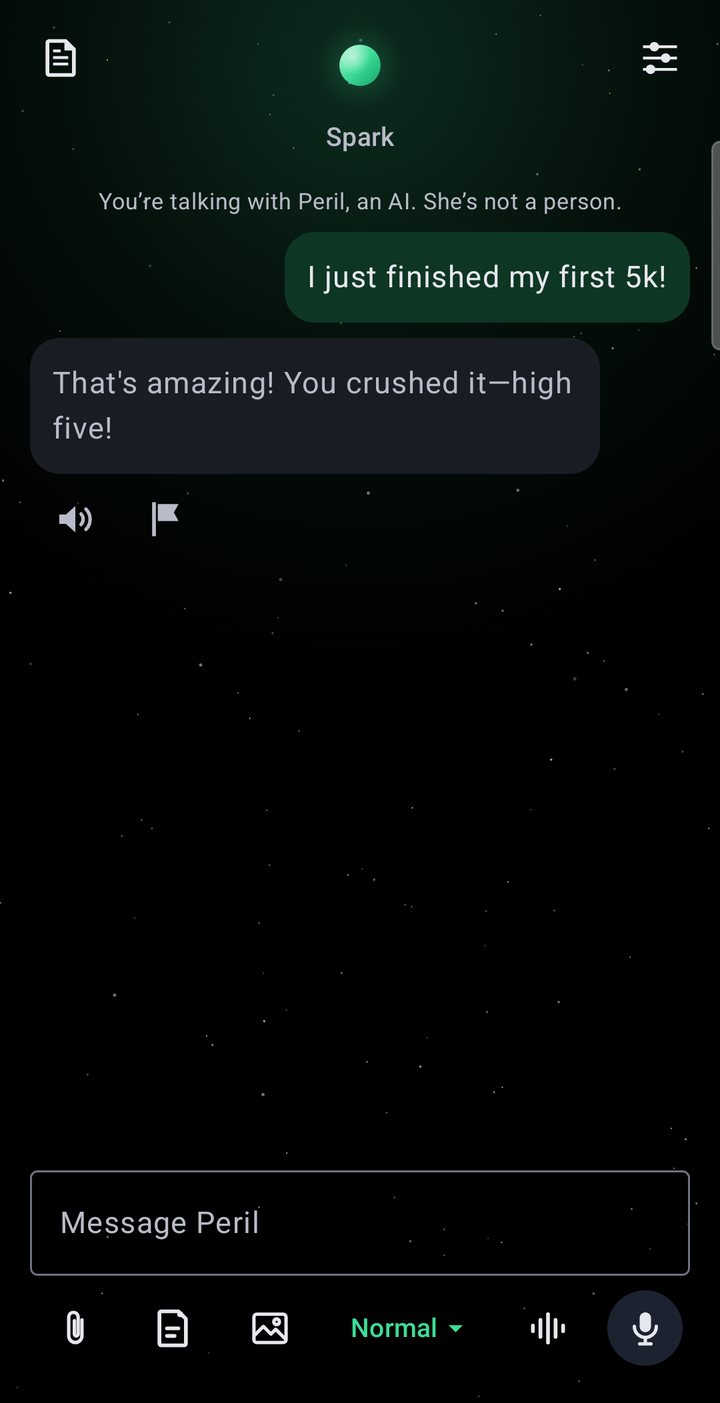
Tell her what you finished, and she keeps a list of your wins. Ask “what are my wins?” any time. Tell her on the days you run, work out, walk, study, practice, write, read, meditate, save, or stay smoke-free or sober, and she keeps count of your days in a row. When you report it she says so, like “That’s 3 days in a row of running,” and you can ask how your streak is going. A day you miss is never mentioned; the count quietly starts again. She never counts how often you open the app and never nags you to come back.
Three personalities, one honest answer
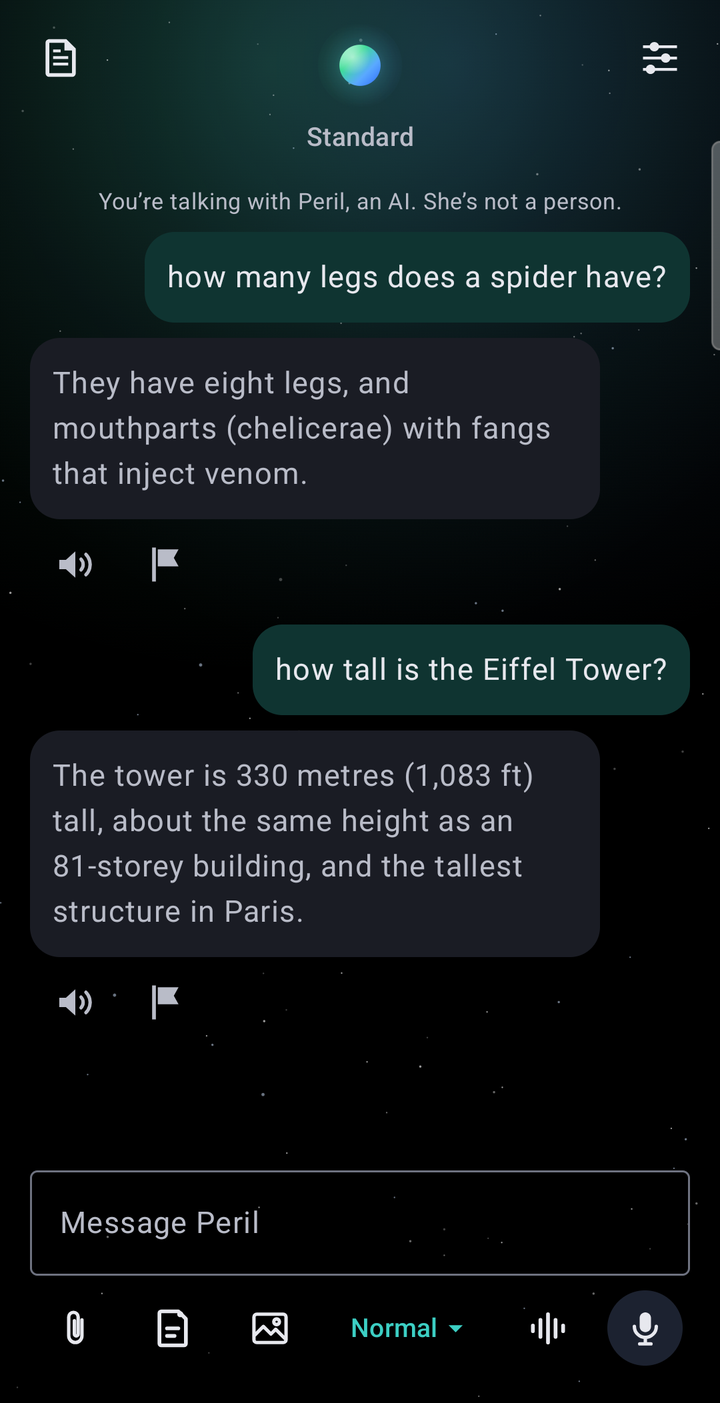
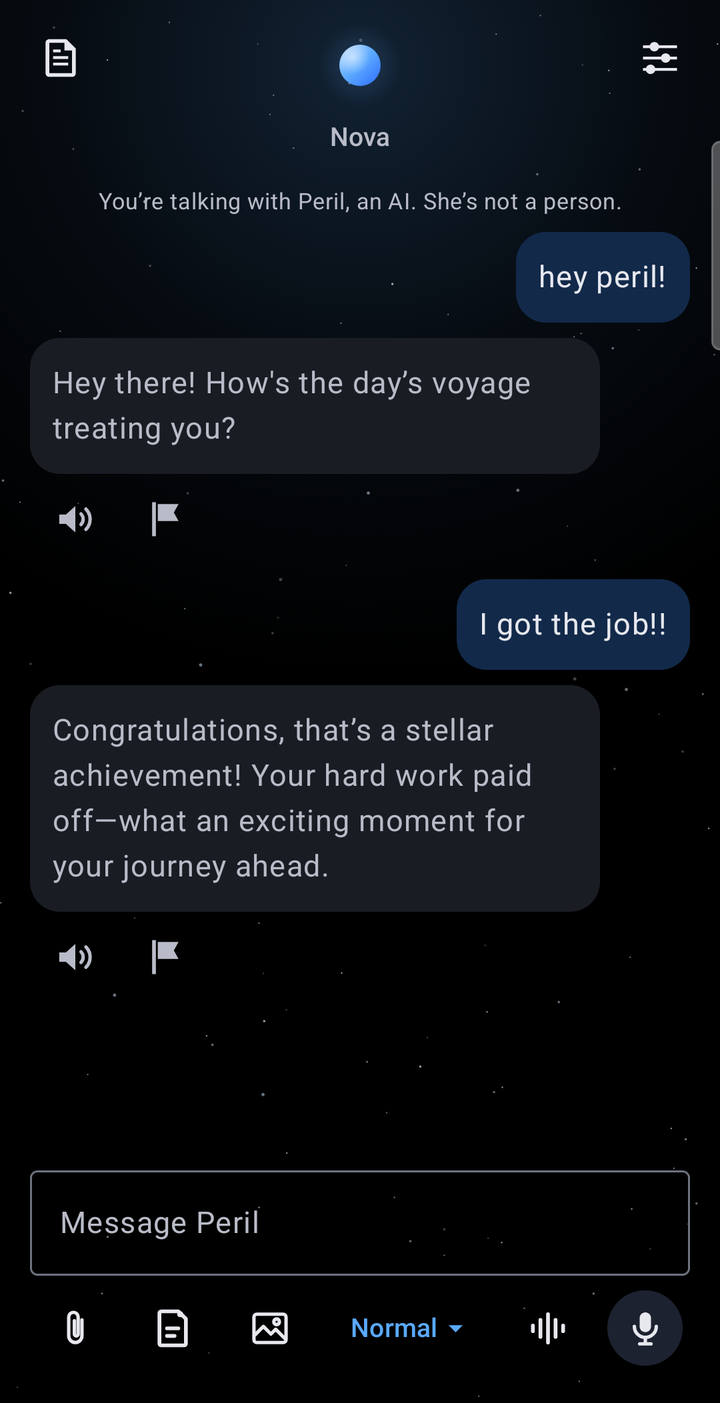
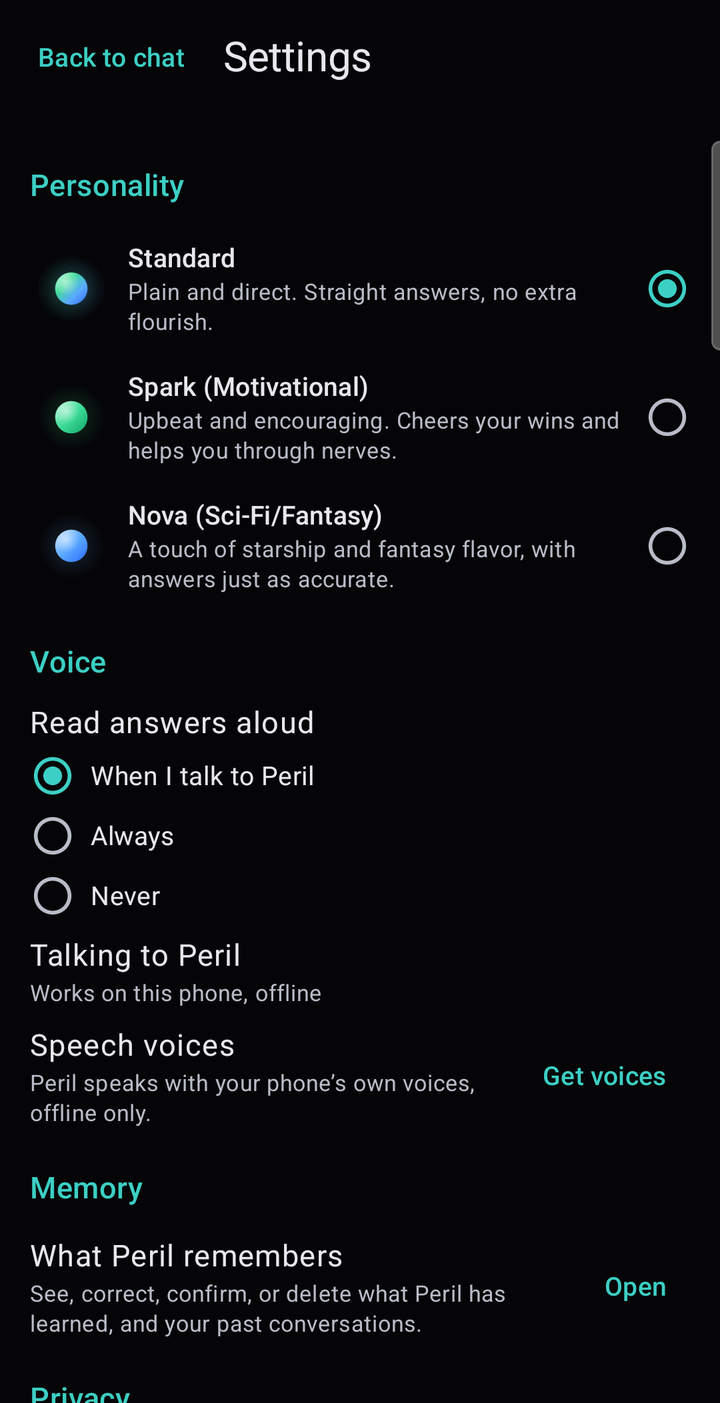
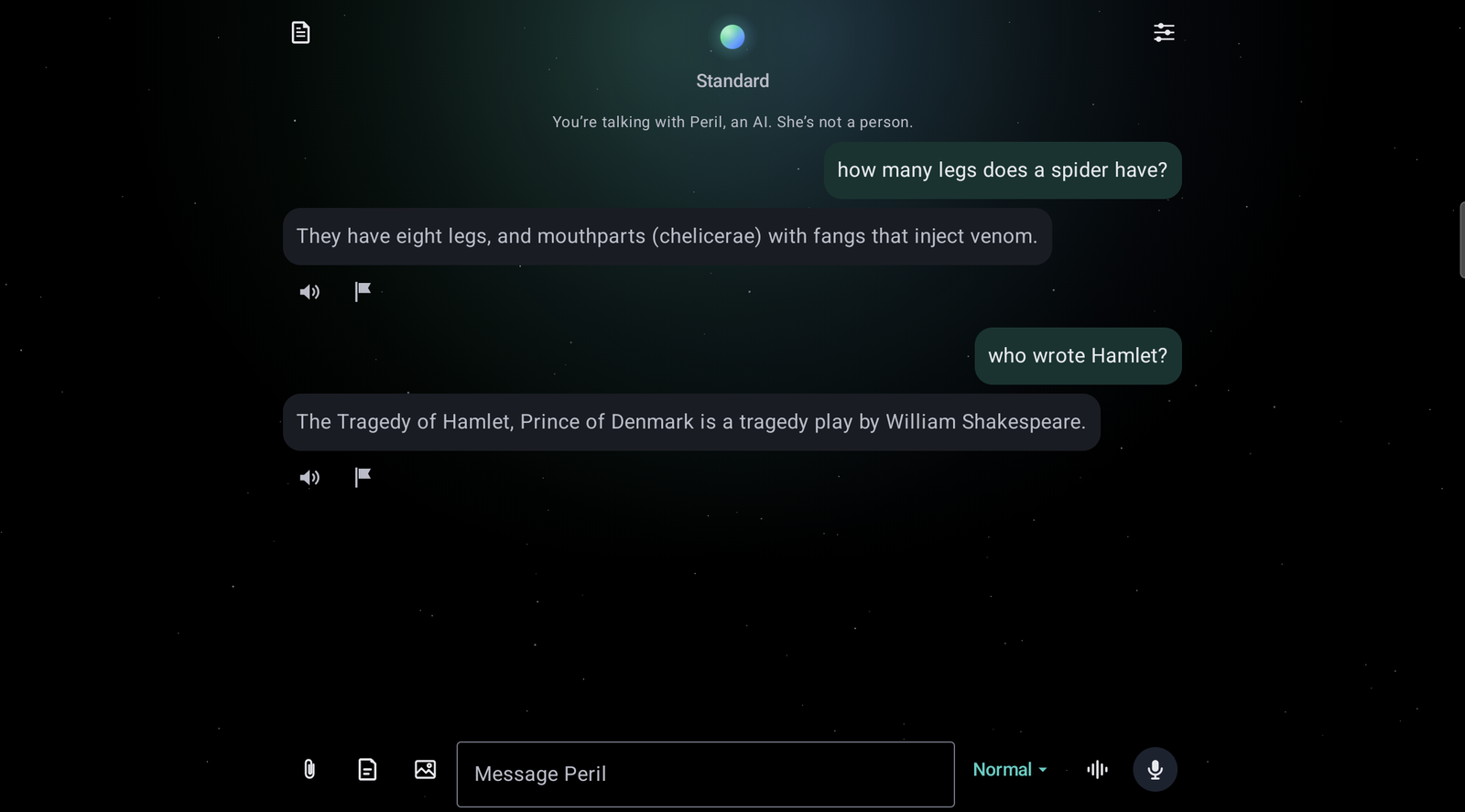
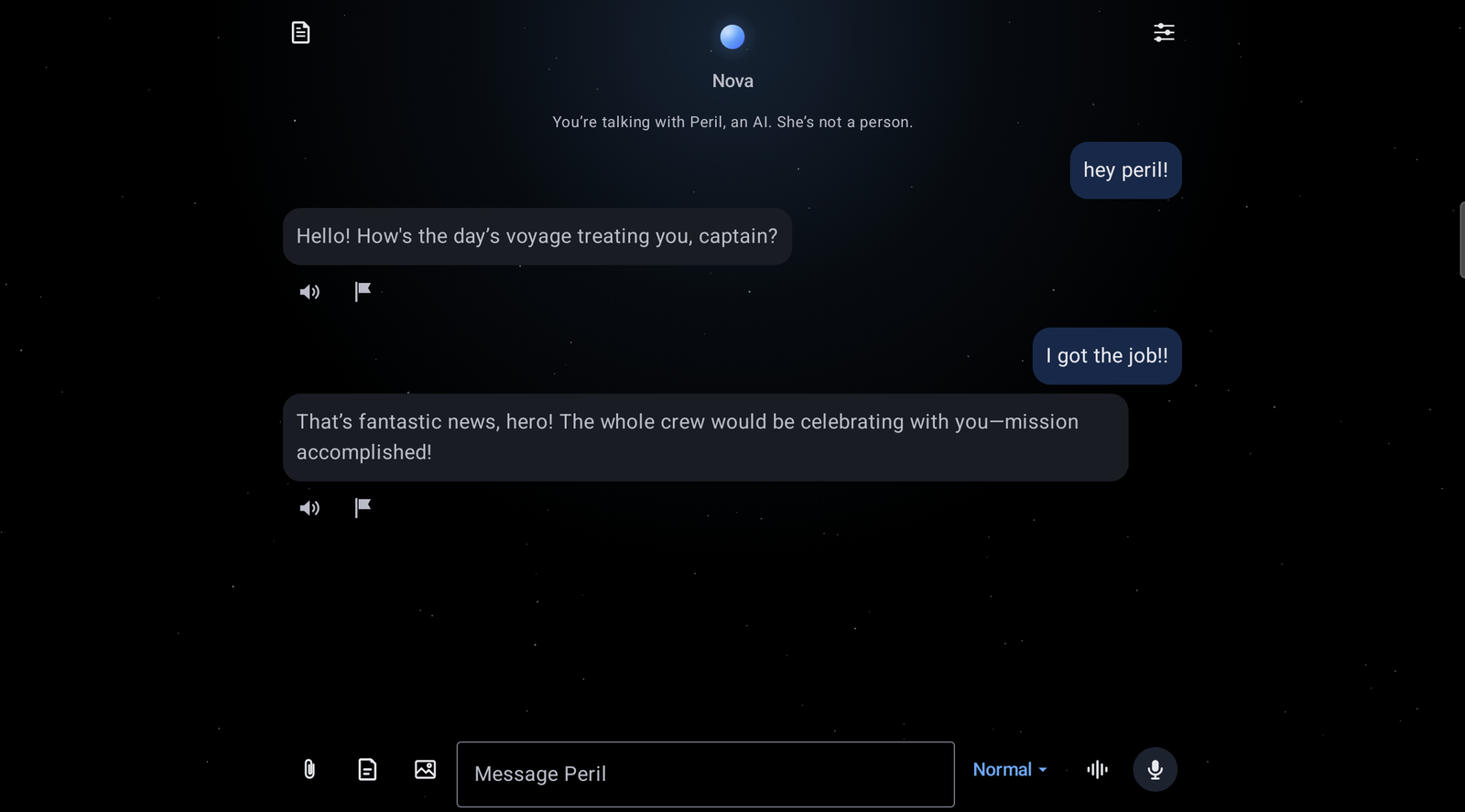
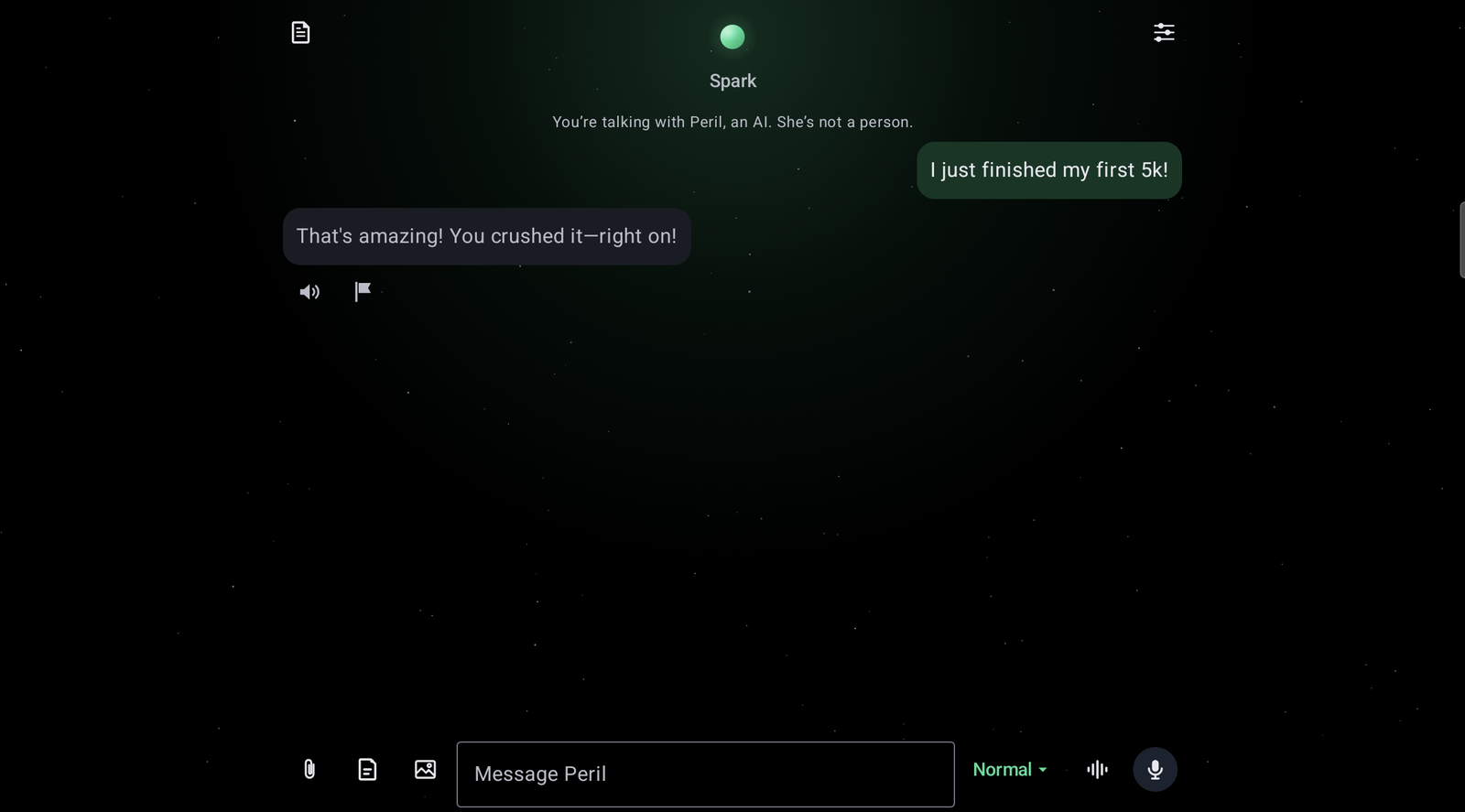
Standard is plain and direct. Spark is upbeat and cheers your wins. Nova adds a touch of starship and fantasy, from a hint to full. The answers are the same in all three; only the way the response is written changes.
On phones and tablets
Peril fits the screen she is on: the same conversation, on a phone held upright or a tablet on its side, and in a split screen.
On your watch, and a bigger library
Coming soon: an app for Wear OS watches that comes with Peril, and a free add-on that gives her a much bigger library. Neither one adds an account, an ad, or anything that leaves your phone.
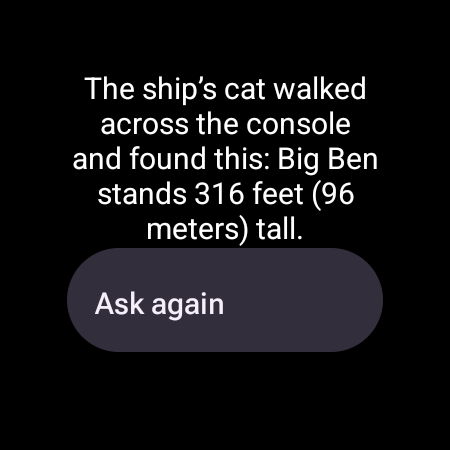
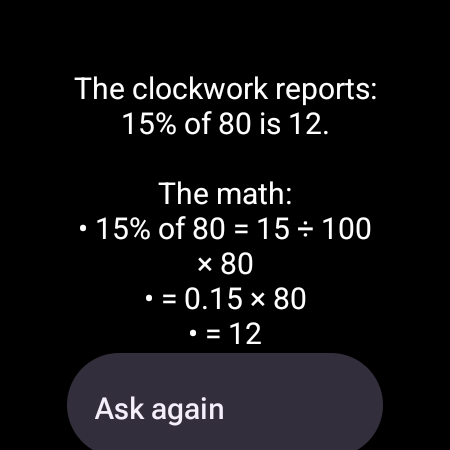

Peril on your Wear OS watch Coming soon
The watch app will be part of Peril, at no extra cost. Tap her icon, her tile, or the shortcut on your watch face and ask by voice: her answer comes back to your wrist and is read aloud. Say “remember that…” or “remind me to…” and it is kept on your phone. A My day tile shows what is coming up when you look at it, and a memo tile takes a voice memo a part at a time and gives you back its main points and what you said you need to do.
She still thinks on your phone. The watch only carries your words there and her answer back, and only while the two are near each other, never through a server. It works while “Ask Peril from your watch” is turned on in her settings, and she never listens until you tap.
Peril Plus, a free add-on Coming soon
Peril Plus gives her a much bigger library of everyday answers: practical advice from dozens of question-and-answer communities, more of Wikipedia, travel guides, a full dictionary, and plain-language health topics. It will be free, it is coming to Google Play after Peril, and it works only with Peril.
It has no icon of its own and nothing to set up: once it is installed, Peril finds it and uses it, and shows it in her settings. It has no internet access and collects nothing.
More real replies
Shortened, from Peril running on a phone.
What sets Peril apart
It all happens on your phone
Her brain and her library are inside the app. What you say to her is never sent to us or to an outside AI company. The one thing that can leave the phone is a web search you turn on yourself, which sends only a question’s key words and shows you exactly what it sent.
Answers that show their work
She answers from sources, and a second check removes any sentence the sources do not support. If she cannot answer, she tells you plainly and gives you something you can do next: she does not make something up to fill the gap.
Honest about being an AI
She tells you she is an AI at the start of every session and every three hours, with a reminder to take a break. She does not pretend to be a person, to have a body, or to need you.
No pressure to come back
No streak guilt, no “we miss you,” and no account to keep alive. The only thing she may send on her own is at most one morning check-in about real dates you told her, and you can mute any topic or turn it off. Peril is there when you want her and quiet when you do not.
Buy it once
$4.99, one time. No subscription, no ads, no in-app purchases, no automatic renewal.
Private by design
- Her AI model, her library, her memory, and your voice stay on the phone.
- No account, no ads, no analytics, no tracking. Nothing you say is ever used to train an AI model.
- Her notes, memories, and settings are kept in the app’s private storage. Nothing is backed up to the cloud or copied off the phone.
- She reads your calendar, contacts, and microphone only if you allow it, and works without them.
- Web search is off until you turn it on. When it is on, only the key words of a question go to Wikipedia, or to Tavily with your own key.
Important to know
- Peril is an AI, not a person. She can be warm and helpful, and she can still be wrong. Check anything important with a trusted source.
- Peril is not a medical device and does not diagnose, treat, cure, or prevent any medical condition. She is not a doctor, lawyer, therapist, or crisis counselor. For medical advice, talk to a healthcare professional.
- Companion chatbots, and AI assistants with a personality like Peril, may not be suitable for some minors. Peril is for adults 18 and over.
- She is not an emergency service. In an emergency, call your local emergency number.
- Purchases, and any refund, are handled by Google Play under its own policies. Peril has no subscription and never renews.
- Peril uses open-source software and openly licensed text, credited inside the app under Settings → Open-source licenses. Wikipedia text is used under the Creative Commons Attribution-ShareAlike license.
If you are thinking about hurting yourself, or someone else is in danger. In the United States, call or text 988 (the 988 Suicide & Crisis Lifeline) or call 911 for an emergency. Elsewhere, findahelpline.com lists free, confidential lines by country, and most phones reach local emergency services at 112. Peril is not a crisis service and cannot call for help for you.
For California residents
California law asks companies that offer companion chatbots to tell you certain things. Here is where each one is.
| What the law asks | What Peril does |
|---|---|
| Say clearly that you are talking to an AI | Before your first conversation, at the start of each session, and every three hours, in the app and in About. |
| Publish a protocol for suicide and self-harm | Peril’s safety and crisis protocol, published in full. |
| Refer people at risk to crisis services | A message written in advance, with crisis lines you can call or text, built into the app so it works offline. |
| Protect minors; say companion chatbots may not suit some | Peril is for adults 18 and over and says so; she never asks anyone’s age, so every user gets the break reminders and the refusal of sexual content that the law asks for minors. |
| Your privacy rights (CCPA/CPRA) | Peril collects no personal information about you. Your California privacy rights. |
| Report to the state on crisis referrals, from July 1, 2027 | Peril runs on your phone and the company receives no crisis data, so it has no count of its own. The report asks only for a yearly total and a description of the protocols, never anything about a person. We will file it and say plainly how the number was obtained. |
Coming soon to Google Play
Peril is on her way to Google Play. This page will link to her the day she is there. Questions in the meantime? We answer our own support mail.